Flymap guide
No seatback screen? How to get a flight map on any airline
On Ryanair, easyJet, Wizz Air, Spirit and most short-haul flights worldwide, there’s no seatback screen — so no moving map, no “time to destination”, no idea whether that coastline is France or Croatia. The fix isn’t onboard Wi-Fi (usually absent too). It’s the phone already in your pocket.
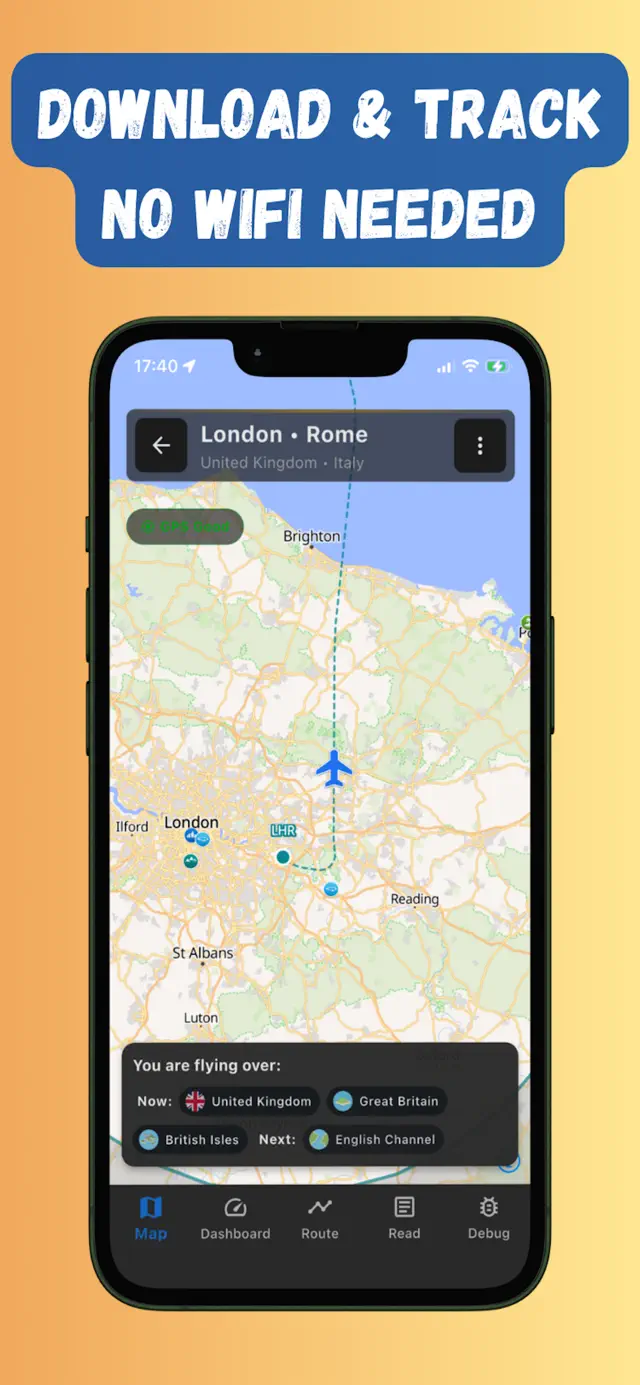
Your phone beats the seatback map anyway
A seatback moving map is a low-resolution loop you can’t control. Your phone, with GPS (which works in Airplane mode) and an offline map downloaded before boarding, gives you:
- A real map you can zoom and pan, with your plane moving across it live.
- Route progress — distance covered, distance remaining, and a timeline of what you cross.
- A flight dashboard — ground speed, altitude and heading, straight from GPS.
- Named landmarks below the window instead of guesswork (what am I flying over?).
Set it up before your flight (two minutes)
- Get Flymap on iPhone or Android at home or on airport Wi-Fi.
- Search your route by airports — say STN → BGY — and tap download to save the corridor offline.
- On board: Airplane mode on, Flymap open, phone near the window for the first GPS fix.
Battery tips for screen-on tracking
- Airplane mode itself saves power — the phone stops hunting for cell towers.
- Drop the brightness and use dark mode; check the map at the interesting moments rather than streaming it continuously.
- A small power bank covers even the longest flight with the map open the whole way.
Make the flight the entertainment
No screens also means no films — see our list of things to do on a long flight without Wi-Fi. On a clear day, honestly, the map plus the window beats most of them.
Frequently asked questions
Does this work on Ryanair, easyJet and Wizz Air?
Yes — on any airline. The tracking runs entirely on your phone with GPS and pre-downloaded maps, so it doesn't matter what equipment (or lack of it) the aircraft has.
Do I need to buy onboard Wi-Fi?
No. Download the route map before boarding and everything — position, speed, altitude, route timeline — works offline in Airplane mode for the whole flight.
Can I use an iPad instead of a phone?
Cellular iPads have real GPS chips and work great. Wi-Fi-only iPads have no GPS, so they can't track position — use your phone for tracking and the iPad for reading.
Try it on your next flight
Get Flymap free on iPhone or Android, download your route before boarding, and see what you fly over — no Wi-Fi needed.


Flymap app
Keep reading
How to track your flight without Wi-Fi
Why the famous flight-tracker apps go dark mid-flight, and the offline GPS setup that keeps working from take-off to landing.
Does GPS work in airplane mode?
Short answer: yes. Why your phone’s GPS keeps working with every radio off, why it’s allowed on planes, and how to actually see yourself on a map.
Things to do on a long flight without Wi-Fi
Seventeen genuinely good offline activities for a long-haul flight, plus the pre-boarding downloads that make them work.